4.6
Free
TikTok LIVE Studio
Live streaming software for TikTok creators
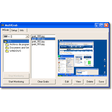
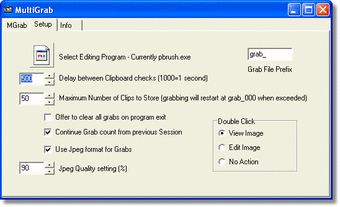
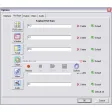
Normally you take screen using the standard PrtScn and Alt-PrntScn keys but MGrab will intercept the saved data as it is sent to the clipboard and put it into your chosen folder as a BMP or JPG file leaving the clipboard free for you to take another screenshot.
Its allows captures in BMP and JPEG format, provides thumbnails, and also takes multiple screenshots. You can also send your saved shots to your favourite editing programme and delete single grab files in one go.
An easy way to take screen shots.
Free
1.0
Windows
Windows ME
English
2.2K
184.47 KB
Have you tried MultiGrab? Be the first to leave your opinion!
Add review
A simple tool to instantly capture your PC screen

Excellent screen recording/sharing app

Efficient Screen Capture Tool for Windows
Digital TV on your PC
Efficient Screen Capture Tool for Windows
A trial version app for Windows, by WonderFox Soft

Screen capture program made for pictures

Attractive and intuitive digital TV viewer

Capture any part of your screen

Efficient Screen Capture Tool for Windows
More than 10 ways to take a screen capture
Capture and print your screen